
Preparing for Microsoft Publisher End of Support: What Churches Should Do Now
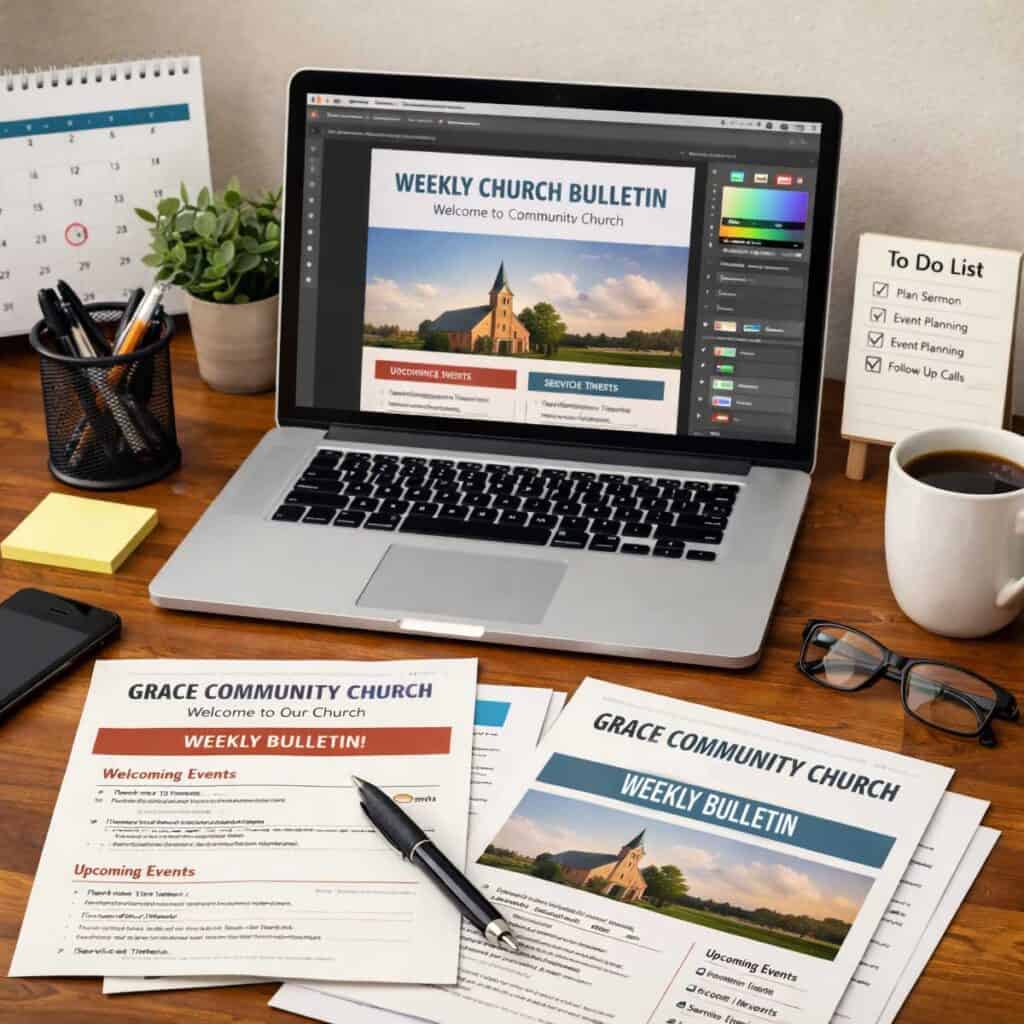
Microsoft Publisher has been a reliable workhorse for churches of all sizes. Even without formal design training, church administrators, pastors, and volunteers use the desktop publishing software to create worship bulletins, newsletters, flyers, and more.
But this familiar tool is being discontinued soon. Microsoft announced that as of October 13, 2026, it will no longer support Publisher. In addition, the company will no longer include the program with Microsoft 365. Even if you purchased Office LTSC or a perpetual version of Publisher through Office Professional, Microsoft support is ending for Publisher.
This is important news for churches and faith-based organizations that use Microsoft Windows and rely on Publisher. But don’t stress out! You have plenty of time to save and convert existing Publisher files, and we’ll explain how. Plus, you can consider other budget-friendly tools to improve workflow in a busy church office.
Take a moment to find out what’s happening with Publisher and how that affects your church. Learn how to handle existing .pub files and move to a more modern program or app.
Microsoft Publisher Discontinued: What It Means for Churches
Microsoft is retiring Publisher as part of its strategy to focus on cloud-based apps and subscription services. Although some recent Microsoft Office packages still included Publisher, the program hasn’t received major updates in years. Moving forward, Microsoft will focus on Word, PowerPoint, and newer tools like Microsoft Designer.
When support ends, a program or application doesn’t disappear overnight. Instead, it means no more security updates or bug fixes. Technical assistance isn’t available anymore either. Over time, compatibility issues might surface, especially as computers, operating systems, and other apps keep improving.
Other common Publisher scenarios: If you keep using the program after mid-October, important documents might no longer be editable. Eventually, Publisher might not run reliably — or at all — on modern systems.
If your church depends on Publisher for creating layouts, it’s best to act sooner rather than later. Churches need dependable, easy-to-learn communication tools that are cost-effective.
Consider the rotating mix of staff members and volunteers at your church. A new office assistant or volunteer might never have been a Publisher user. Or the program might not have been installed on their laptop, especially if the church moved to a Microsoft 365 subscription that no longer includes it.
Another risk: The end of support for MS Publisher could leave archived materials stuck in a format that people can’t access or edit. Maybe you experienced this when programs like Aldus PageMaker and Affinity Publisher were discontinued. Other churches use Microsoft Publisher templates that people built years ago, and those people may have since left the church.
Prepare Microsoft Publisher Files for End of Support
The safest approach? Act before Publisher’s retirement, while you can still open, edit, and export files. Publisher uses a proprietary .pub file format. Unlike MS Word or PowerPoint files, .pub files aren’t easily opened or edited in other Microsoft apps. So they’ll be especially vulnerable after Publisher support ends.
Templates you depend on for efficient messaging might become unusable. Files might be corrupted or incompatible with newer systems, causing your church to lose access to its own content.
To prepare for the end of Publisher support, you’ll need to assess how — and how widely — people at your church use the program. Locate where Publisher files are stored and then determine which documents must remain editable. Finally, open important files and save them in safer, more flexible formats.
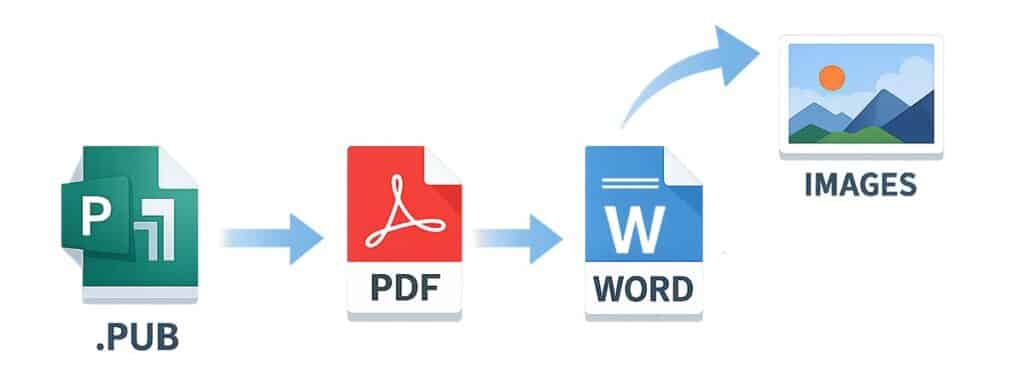
PDFs are great for long-term storage and for sharing documents. Image files such as PNG or JPG are helpful for social media, event publicity, and quick reprints. When possible, also rebuild content or export it into Word or PowerPoint so you can make changes later.
Use the checklist below to ensure every important Publisher file is protected and accessible. Before Microsoft support ends for the program, take these steps:
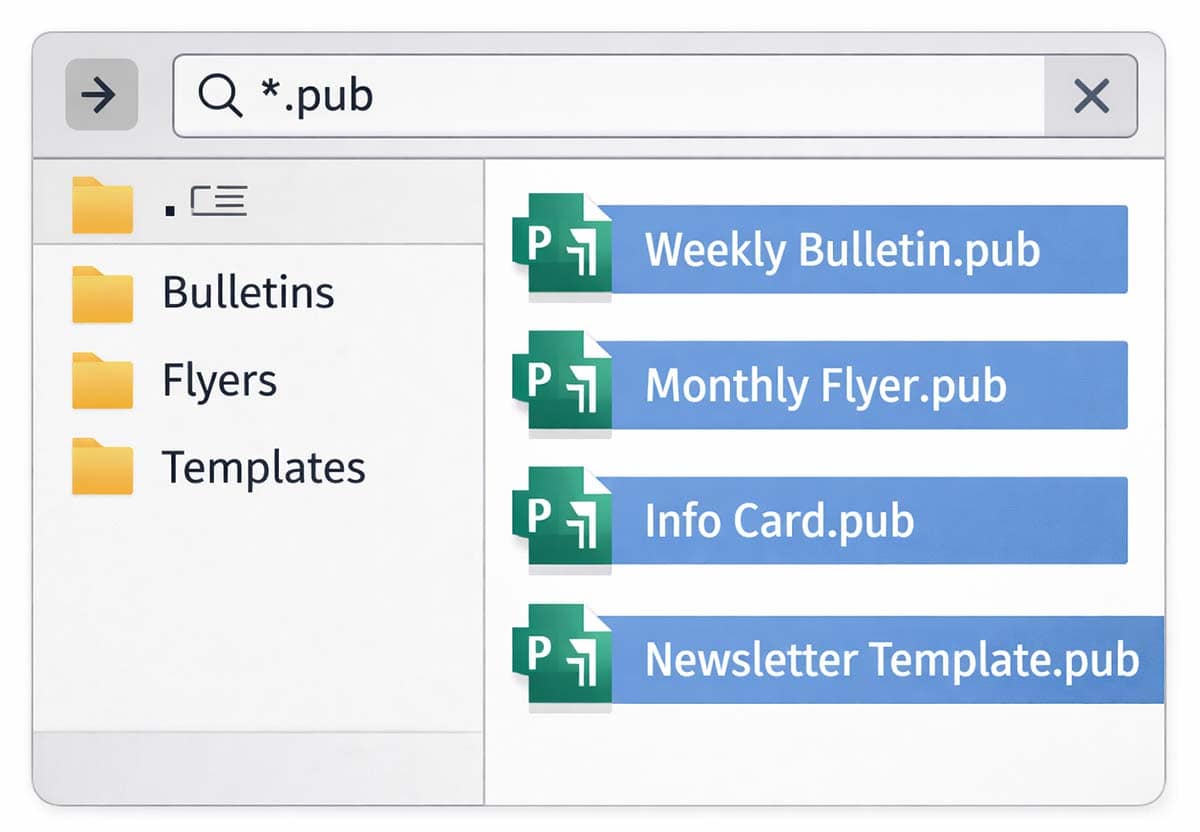
- Find all Publisher files. Search for “*.pub” on church computers, shared network drives, external devices, OneDrive, and SharePoint. You’ll likely discover years of Sunday school forms, VBS flyers, and more. Create a master spreadsheet to inventory file locations and owners.
- Decide what to keep. Before converting everything, save time and reduce clutter by sorting files into three categories: Archive Only (historical church records, old events), Occasionally Used (annual events, templates), and Actively Edited (current ministry materials).
- Open files before Publisher is discontinued. Check for missing fonts, linked images, or layout problems. Make any final corrections before exporting the files.
- Save each final document as a PDF. For documents that won’t need editing, go to File > Save As and choose PDF. This format preserves the layout and is the safest long-term option. Save each file with a descriptive name, like CmasBulletin_2026.pdf.
- Export editable files to Microsoft Word. For documents that will need future edits, save a copy as a Word document (.docx). Expect some layout changes, especially with text boxes, columns, and overlapping graphics. After the conversion, review and adjust formatting. The best practice is to keep both the Word file and a PDF for reference.
- Back up fonts and images. Save copies of any custom fonts used in Publisher files. To prevent future formatting surprises, ensure that all linked images are embedded or saved alongside converted files.
- Convert large libraries in bulk (optional). If you have lots of Publisher files, use a PowerShell script to batch-export them to PDF or MS Word. Confirm that Publisher is installed and licensed on the computer running the script.
- Handle any filename conflicts. Before running bulk exports, check destination folders for existing files that have the same name. Rename or delete duplicates to avoid errors or overwrites.
- Consider third-party tools. Some resources convert .pub files directly to other formats. Review the output carefully, though, because complex layouts might not translate cleanly.
- Switch to new tools. For future projects, move to other programs or support Microsoft apps, such as Microsoft Word. (See below.) In the new app, rebuild your main templates and most-used layouts. That ensures you’ll have active support from the Microsoft community or beyond. Although this may feel like extra word, updated templates provide stability and flexibility.
- Preserve legacy access, if needed. If you must keep access to Publisher after October, maintain Publisher 2019 or Office 2021 Pro on a dedicated computer or virtual machine. Treat that system as legacy access only, not for new work.
- Avoid overwriting older versions of Microsoft Office. Don’t install MS Office 2024 or later over an Office version that includes Publisher. Adding a new Office suite removes Publisher, with no rollback option.
A Look at Other Microsoft Apps
Many churches have a Microsoft 365 subscription, often as a discounted nonprofit rate. Microsoft 365 applications support a wide range of needs. For example:
- Microsoft Word — This popular program isn’t just for letters. It’s one of the most practical replacements for Publisher, especially for text-heavy documents. Use Word for bulletins, flyers, basic brochures, and announcements. The layout tools (columns, tables, and text boxes) are more capable than many users realize. Most people are familiar with Word, making training easier. Plus, files are future proof and cloud-friendly. Pro Tip: Your ChurchArt Pro subscription includes Word and Canva templates. Search our library for templates that best meet your needs.
- Microsoft PowerPoint — Screen presentations are just the beginning. You can use PowerPoint for eye-catching posters, ads, social media graphics, and more. The program offers precise alignment tools, an intuitive drag-and-drop interface, and easy export options for PDFs and images. Because many churches already use PowerPoint for worship slides, the app feels like a natural extension for other communications.
- Microsoft Designer — This newer cloud-based app helps users create quick, high-quality designs for print and social media. Think outreach flyers, event publicity, and ministry promotions. Most Microsoft subscriptions include Designer, so the typical Microsoft 365 customer is familiar with it. The program’s template-driven approach is easy to learn, even for people with limited layout experience.
Beyond Microsoft 365 (formerly known as Microsoft Office Suite), options include Open-Source programs such as Collabora Office or WPS Office, plus cloud-based programs such as Adobe Express.
Transition from Publisher Effectively
After choosing a Publisher alternative, help staff members adjust to the new program or Microsoft product. Clear written instructions build confidence, whether people are new Microsoft 365 users or learning a different program. You might want to choose one primary app, such as Word or PowerPoint, for most communication tasks.
Also consider building a few core templates to stay consistent and reduce confusion. So everyone works from the same files, store templates in a shared location, such as OneDrive or SharePoint. Apps such as Microsoft Teams allow internal communication among office staff.

As you transition away from Microsoft Publisher, remember that your ChurchArt Pro membership can help ease the change. Many ChurchArt templates are already available in Microsoft Word and Canva, making it easier to move your designs into supported, familiar tools. In addition, ChurchArt Pro’s Caption Editor feature allows you to customize graphics directly online — no desktop publishing software required. These options give churches flexible, modern ways to create bulletins, flyers, and social media graphics while keeping design simple and consistent.
Maintain Strong Church Communication
By preparing for the end of Microsoft Publisher support, your church will keep its materials and ministries free from interruptions. Before the October cutoff, evaluate your existing files and train staff on a new resource.
Churches can view Microsoft’s decision to end Publisher support as an opportunity to move forward. You’ll find more modern, widely supported apps — and might save money too. While you’re protecting files and converting documents, you also can update church branding and simplify layouts.
With some planning, your congregation’s publications will stay accessible and effective for years to come.
Stephanie Martin
Stephanie Martin is a senior editor at Communication Resources, producing monthly issues of The Newsletter Newsletter and ChurchArt Online. For more than three decades, she has written and edited materials for Christian congregations and ministry leaders. At her Denver-area church, Stephanie has volunteered in a variety of areas, from Sunday school and VBS to finances and administration.
Share This Post:

All the church-specific art you need IN ONE PLACE.